Now Your Children Can Experience the Bible App for Kids in Indonesian!

BAFK-Indonesian-web

Around the world, more than 197 million people speak Indonesian. Today, together with our partner OneHope, we’re pleased to announce the launch of the Bible App for Kids in Indonesian: The Bible App for Kids. Now, more children than ever have the opportunity to enjoy a Bible experience all their own.

And with our all-new language selector, now you can select Indonesian as your language of choice — from directly inside the Bible App for Kids! Simply update your app to the most current release, then look under Settings for “Language.” You can choose between Arabic, Brazilian Portuguese, Chinese, Dutch, English, French, German, Korean, Russian, and Spanish. The audio will play in that language, and any text will appear in that language, too!

Please help us celebrate this great news!



The Bible App for Kids icon

About the Bible App for Kids

Developed in partnership with OneHope, the Bible App for Kids is the newest app from YouVersion, makers of the Bible App. Designed to give children a delight-filled Bible experience all their own, the Bible App for Kids has already been installed on over 8 million Apple, Android, and Kindle devices, and it’s always completely free. Kids from all over the world are now enjoying the Bible App for Kids — in Arabic, Brazilian Portuguese, Chinese, Dutch, English, French, German, Korean, Spanish, Russian, and now Indonesian!

Get it now

store icons_ios store icons_play store icons_amazon
Share this post:

Bible App for iOS Now Features 3D Touch

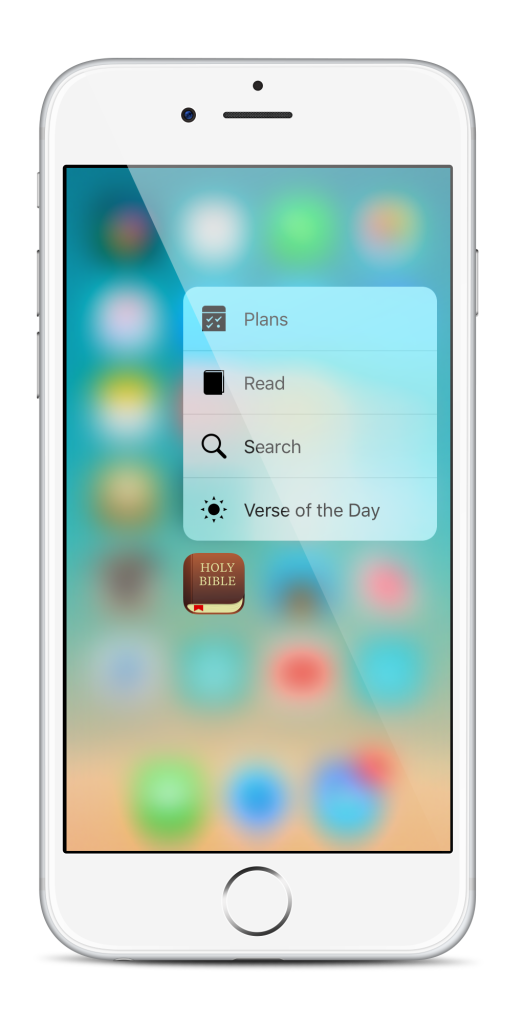
What if all you had to do for biblical inspiration was press on your Home screen for a few seconds? With the newest Bible App update for your iPhone 6s or 6s Plus, you can! Using 3D Touch, now you can jump directly to the Bible App features you use most often, right from your Home screen:

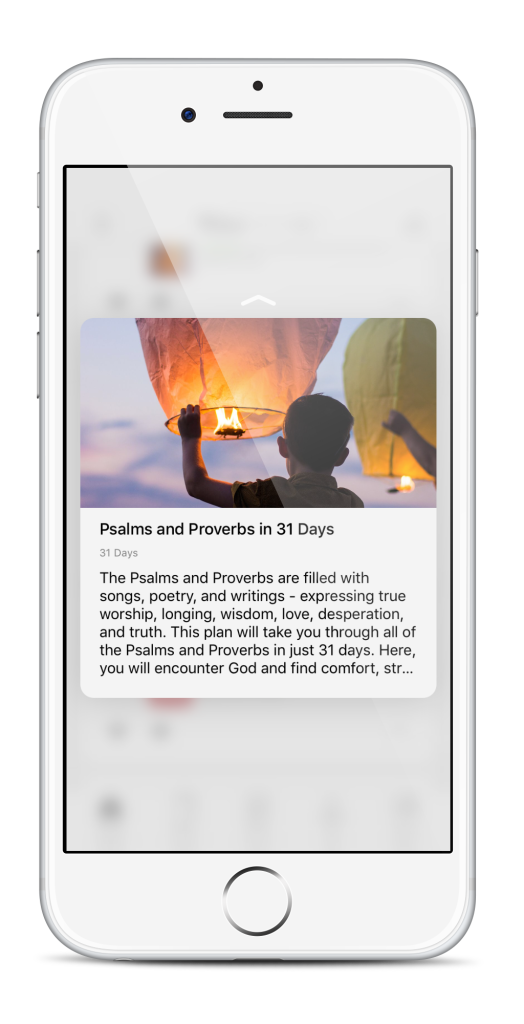
Just press down on the Bible App icon, then select Read, Search, Verse of the Day, or Plans. You can even add a specific Reading Plan to your Home screen if you like. And, once you’re inside the Bible App, Apple’s new Peek and Pop helps you interact more naturally with Plan Moments and profile pictures:


Tip: We always want your Bible experience to be as amazing as possible, so before you update or install any new Bible App version, check your device Settings to ensure you have the most recent system updates installed. Some Bible App features may not be available on older devices, or on older versions of your operating system. Apple’s 3D Touch and Peek and Pop are currently only available on iPhone 6s and iPhone 6s Plus.


About the Bible App

The Bible App has been installed on more than 195 million unique devices, all over the world. Developed by YouVersion, the Bible App offers more than 1,200 Bible versions, in more than 870 languages. And it’s always completely free.

New Bible App icon

bible.com/app


Share this post:

The Bible App is Now Available on Amazon Echo

So faith comes from hearing,
and hearing through the word of Christ.
Romans 10:17, ESV

Need inspiration from God’s Word? Just ask. Amazon Echo is hands-free, voice-activated, and always on. When you add the Bible App to your Amazon Echo, inspiration is always just a question away. Speak, and let God’s inspired Word speak to you.

See (and hear) for yourself…


Ask Alexa for the Verse of the Day


How to Get the Bible App for Amazon Echo

Once you’ve set up your Amazon Echo and connected it to the Internet:

  1. Visit alexa.amazon.com.
  2. Log in (if prompted).
  3. Click the “Skills” tab on the sidebar.
  4. Find “Bible by YouVersion,” and click the blue “Enable” button for that Skill.
    You should be able to start using the Bible App immediately.


About the Bible App

The Bible App has been installed on more than 300 million unique devices, all over the world. Developed by YouVersion, the Bible App offers more than 1,200 Bible versions, in more than 880 languages. And it’s always completely free.

New Bible App icon

https://www.bible.com/app

Share this post:

The Bible App. Now playing on Apple TV

What’s new on Apple TV? The Bible App.

Let the message about Christ,
in all its richness, fill your lives…
Colossians 3:3a, NLT

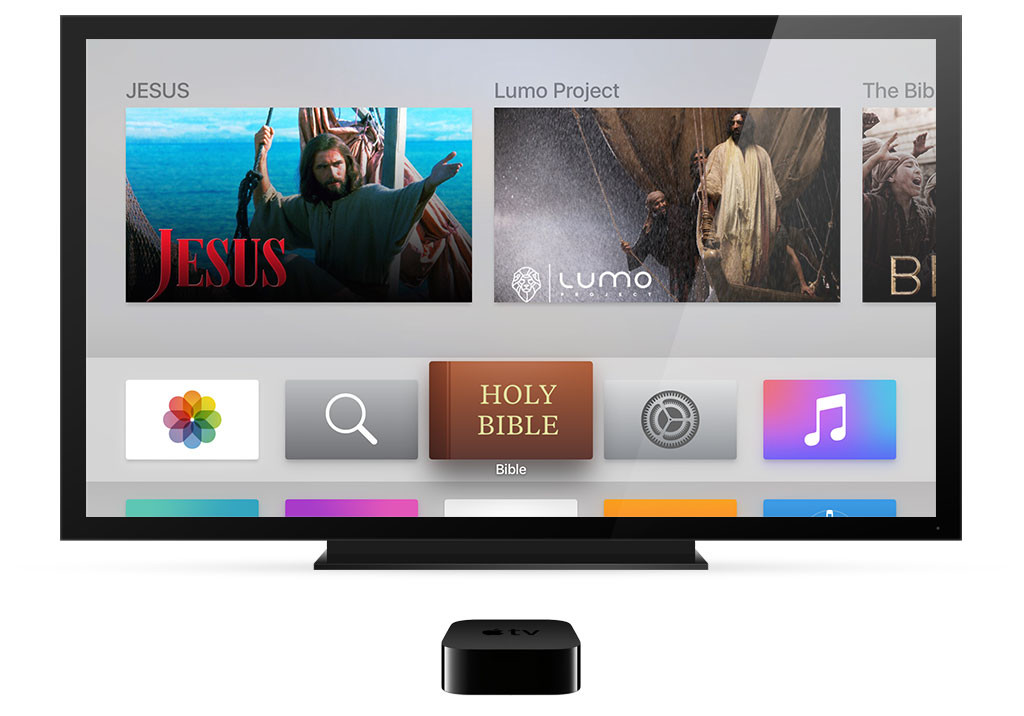
Last month Apple announced their all-new Apple TV, bringing the power of apps to your television experience. And just as the Bible App was one of the first to iPhone, and one of the first to Apple Watch, now the Bible App is one of the first to the new Apple TV:


Share this post:

No connection? No problem. Plans go offline with you.

OfflineBiblePlans2

Enjoy Your Bible Plans…
Anytime, Anywhere.

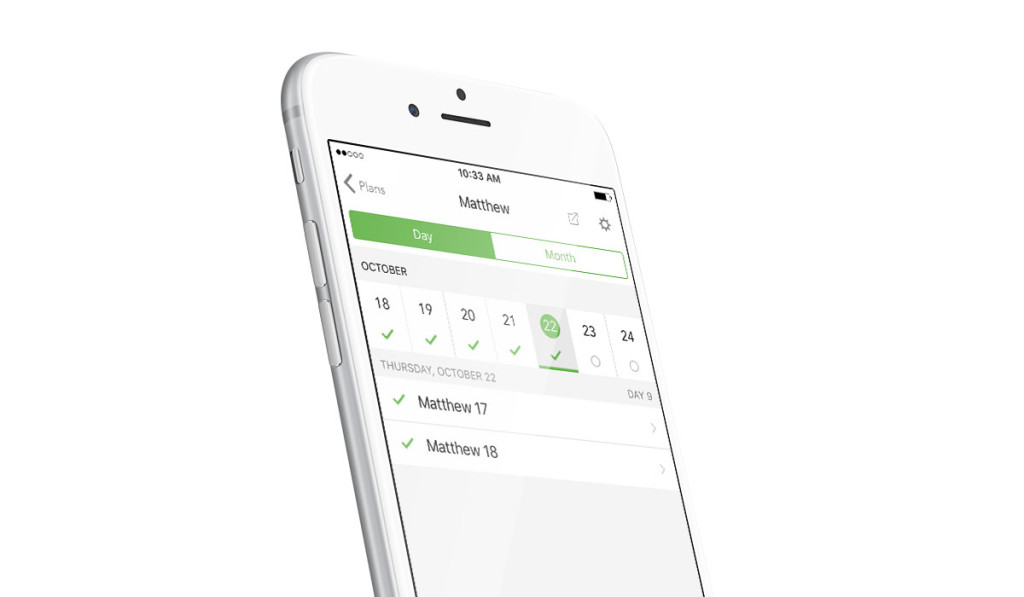
You probably already know that Bible Plans are one of the best ways you can engage with the Bible every day, giving you just a few passages for each day’s reading. You probably also know that many of your favorite Bible versions are available for you to download to your device. But did you know that many Bible Plans are also available offline?

That means that even during those times when you’re away from Wi-Fi or you can’t connect to your service provider — on the subway, on an airplane, or just when you’re “getting away from it all” — you can still keep up with your current Bible Plan.

Here’s all you need to do:

Sometime when you are connected, download one of your favorite Bible versions (here’s how). Then subscribe to one — or more — Bible plans (here’s how). Downloaded Bible versions are stored on your device, as well as the data for any Bible Plans you’ve subscribed to.* The Bible App keeps track of which days you complete offline, then syncs them with your online account the next time you’re connected again — all in the background.

Try a Plan Offline

*Before you can use Offline Bible Plans, make sure you have the most current version of the Bible App installed. Some older versions of Android and iOS may not be supported. Downloaded Bible versions contain only the text. Each downloaded Bible uses less than 0.2 GB of storage on your device. Not all Bible versions are available for download. Downloaded Bible Plans contain only the devotional portion. Most other functions (e.g., search, videos, image files, audio files, etc.) still require an Internet connection.
Share this post: