
Be sure to check out our free webinar today on YouVersion Live at http://youversion.com/live.
Share YouVersion.com with Your Friends!
Share YouVersion with your friends….it’s simple!
Allow me take a few moments to share with you how YouVersion.com makes sharing the Bible with your friends extremely simple.
First, navigate your mouse and click on INVITE link at the top right of your browser. It will take you to the YouVersion.com/Invite page. Two options are available.
The first option is “Invite a friend from your address book.”
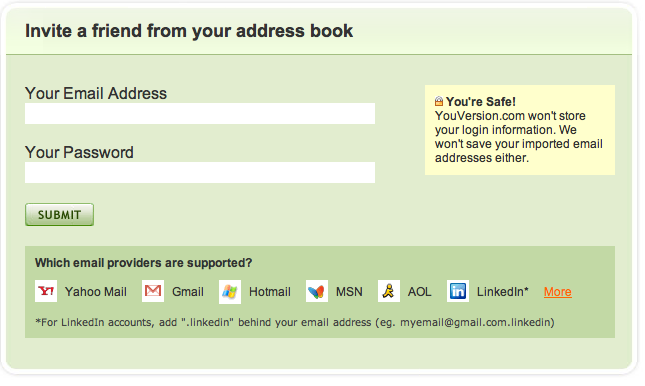
Simply enter your Gmail, Yahoo Mail, Hotmail, AOL Mail, etc., email address and password. YouVersion will import your address book and you can send invites to all of your contacts.
The second option is to send YouVersion.com directly to one person at a time. After clicking the INVITE link, you will navigate to the bottom of the page. Here you will see “Invite a friend right now!”
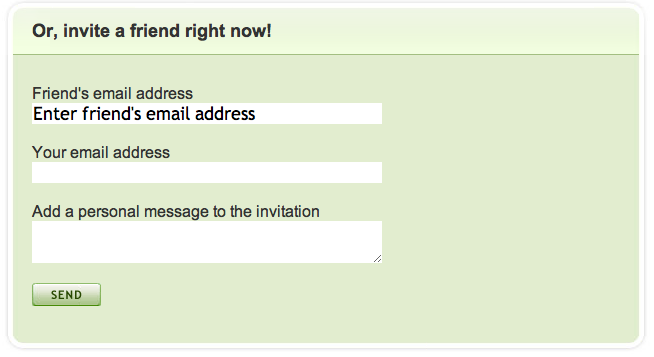
At this point, enter your friend’s email address as well as your email and a personal message….and that’s it.
Sharing the Bible has never been more convenient. Please, take a moment and share YouVersion.com with some of your friends. You can start right now by clicking here.
Enjoy!
YouVersion Translation Tutorial
Did you know…?
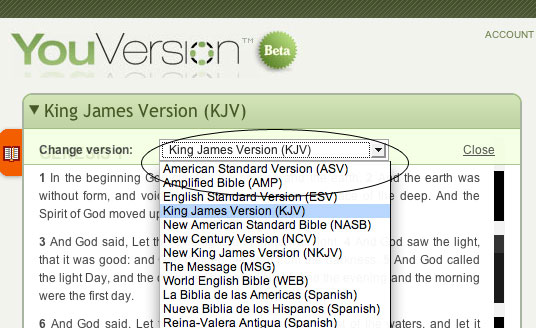
YouVersion currently has twelve translations (nine English & three Spanish). And it’s easy to choose a translation!
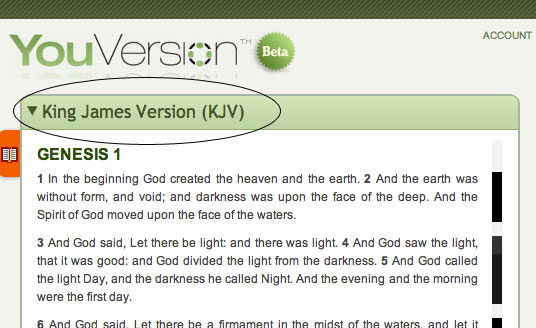
When you first visit the YouVersion page, you’ll notice the default is the KJV. To change translations, simply click on the current translation name.
Then select your preferred translation!
As always we appreciate your feedback on how to make YouVersion more interactive and engaging. Feel free to send more thoughts our way!