
It was so exciting to get together with thousands of our closest friends during our live webcast yesterday! We don’t take for granted all that God has done through YouVersion—and especially what He has done through you, the worldwide YouVersion community. It was a rare treat having the opportunity to address your great questions from #YouVersion on Twitter. (Sorry we couldn’t get to every one!) Thanks to your participation, #YouVersion even became a trending topic worldwide on Twitter!
If you missed joining with us live, we’ve put together a list of some of the high points for you, along with the complete event video:
Key YouVersion Links:
A Quick Review
Installs. In November of 2010, the Bible App™ was installed on 10 million unique devices. As of today’s webcast, it’s now been installed on more than 34 million. That represents 2 million installs… per month.
Bible Languages. We want to make the Bible freely available to as many people as possible, no matter where they live or what language they prefer. In November 2010, we offered Bible translations in 22 different languages. As of today’s webcast, we now have Bible translations in 61 different languages.
Bible Versions. When YouVersion first launched in 2008, we offered just 12 versions of the Bible. A year ago, YouVersion had 48 different versions of the Bible for to you to choose from. As of today’s webcast, YouVersion now brings you 187 versions. And more are on the way. Within the next few weeks, we’ll pass the 200 mark.
Reading Plans. As of today’s webcast, 52 partners are graciously providing the YouVersion community with more than 200 different reading plans, in many different languages. By the end of 2011, we expect to increase that number to 220.
Volunteers. Everything we do is accelerated through the passionate dedication of hundreds of volunteers, devoting themselves to serving the YouVersion community from literally all over the world. Our small team could never reach the numbers of people that we reach in partnership with you. If you’d like to see the many ways you can help, learn more at our brand-new volunteer website.
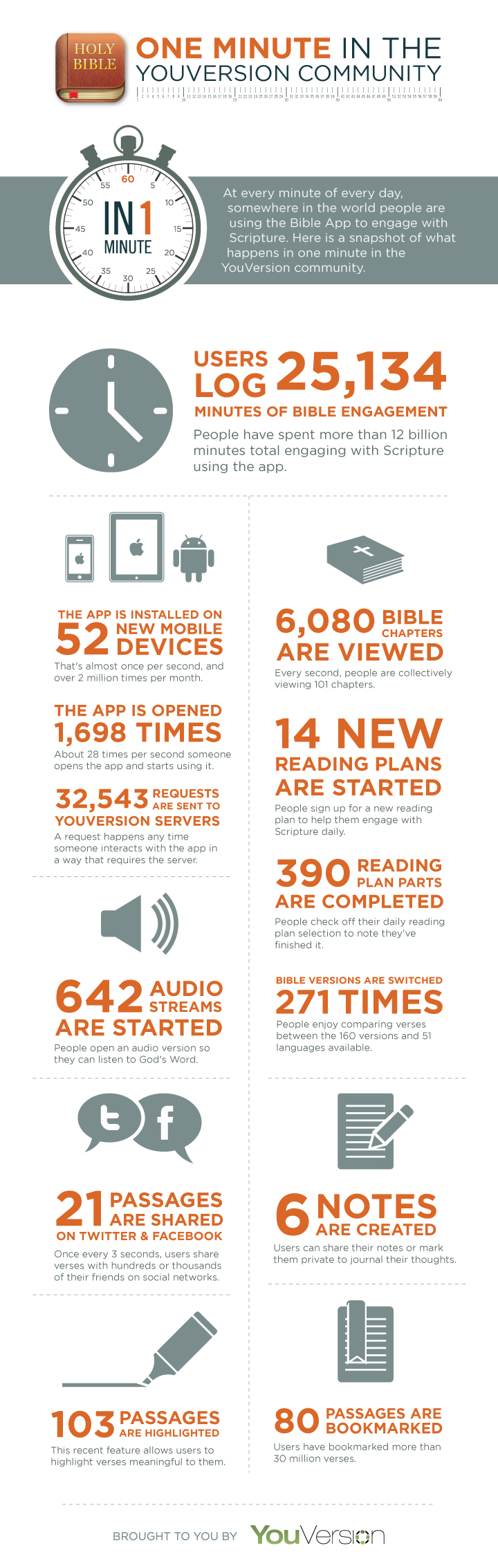
In a Minute. During the average minute: the Bible App is installed on 52 unique devices, 1,698 people open the Bible App to read the Bible, and people share 21 different passages on either Facebook or Twitter. And these are just a few examples. To help you really see how the Bible App serves the YouVersion community, we’ve prepared a comprehensive infographic that breaks down many of the different things that happen in the Bible App during just one minute.
Resources for Pastors and Churches. If you’d like to help the people in your church connect with the Bible more, we’ve created several tips, explanations, and tools you can use to help those in your circles better understand what the Bible App is, what it has to offer, and how easy it is to get.
Still to Come… We’re comprehensively updating YouVersion.com, working to make its feature set more consistent with what you’ve become accustomed to in the Bible App. If you have a free YouVersion account, we’d love for you to take a look at the beta version and let us know what you think. (Please understand: The beta is still very much a work in progress, and this is a limited-time offer. Don’t move all of your Bible engagement to this beta version!)
We never stop working on making the Bible App easier to use to connect with the Bible every day—more reading plans, more Bible versions, more devices, more robust tools, more of everything. Still, the most common request we hear is to make the Bible App easier to use as part of a group, so we’re adding community-oriented features to help you engage together. You should see an update to the Bible App for Android this week, and an update to the iPhone version soon. Both will allow you to view your friends’ profiles and connect more with your community.
Later we plan to add features that will allow you to set reminders to help you remember to get in your reading plan, and even to receive your reading plan selections through a daily email. As always, you’re in complete control of your YouVersion experience—you choose how you want to interact with the Bible App.
The Other 16. One in every 17 iOS devices (Apple iPhones, iPads, and iPod touches) already have the Bible App installed. And, one in 17 Android devices have also already installed the Bible App. That means that on each of these platforms, there are 16 people who still haven’t installed it on their device. But you can help! When you meet someone with a smart phone or mobile device, ask them if they have the Bible on it. And if they don’t, consider offering to help them install the Bible App. (Remember: It’s always completely free.) We’re working on a new tool that will give you an easy way to tell us about your 16. When you use it, we’ll send you a free t-shirt and some Bible App stickers.
What Can You Do?
- Engage. Is the Bible a part of your everyday life? If you haven’t already been using Reading Plans, consider signing up for your free YouVersion account and trying one. Reading Plans divide up the Bible into manageable portions, making them a great way you can establish—and keep!—a daily habit of spending time in God’s Word.
- Share. Share the Bible App and YouVersion with others. Help the other 16 find what you’ve already discovered for yourself!
- Join. The entire YouVersion community is powered by the passion of volunteers. Join us as together we pursue the vision of reaching the entire world with God’s Word. Even with the extraordinary volunteer community already partnering with YouVersion, it’s just not enough. We need literally thousands more. Please come and share your passion with us.
- Give Thanks. Look up your favorite Bible version in the Bible App. Go to any page of the Bible in the reader, scroll to the bottom, and look at the information about the organization who makes that version available. Please contact them to express your gratitude for their generosity—and perhaps even consider supporting their work financially. We couldn’t do what we do without them!
 For a limited time, you’ll be able to download the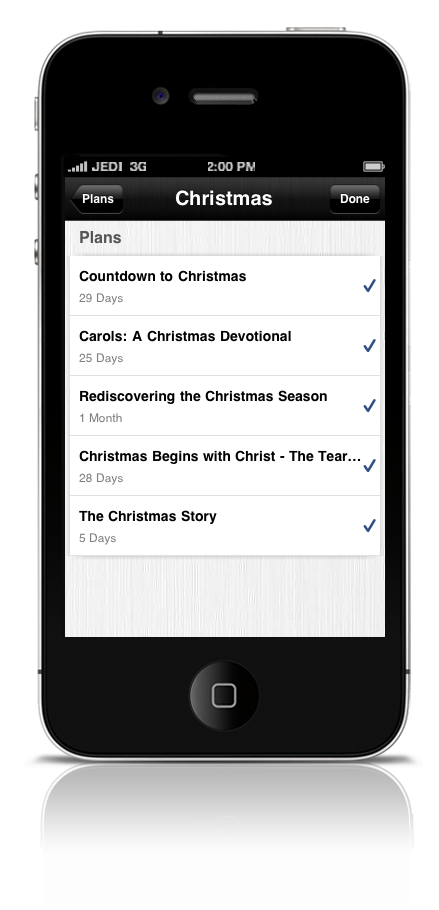
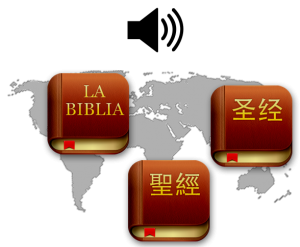 We’re pleased to announce two new audio versions of the Bible, available in the Bible App™ right now. Try the New Testament of the popular Reina-Valera 1960 (