The Bible App for iPhone/iPad v 2.7 Released

The next version of the Bible App™ for iPhone and iPad, version 2.7, is now available in the iTunes app store and for download. We’re committed to continuing to make the Bible App as useful as possible. For this release, you’ll find several improvements, mainly to Reading Plans. Here are just a few of the highlights:

  • We’ve made Reading Plans even easier to use all around!
  • We added Categories to Reading Plans, so it’s much faster and easier to find specifically what you’re looking for.
  • Especially when you’re trying to read through the entire Bible, everybody misses a day here or there. So we’ve come up with a feature we call “Catch Me Up” that helps you get back on track with whatever plan you’re using. Check it out!

We’ve also made the Bible App faster and more stable, and we fixed a few bugs. If you don’t already have it on your iPhone or iPad, we’d love for you to try it and let us know what you think on our Facebook page or on Twitter. If you already have the Bible App on your device, just tap the Apps icon and select Updates to jump up to this newest version.

Share this post:

Join us for Global Share the Bible Day

Hopefully by now, you know that we love the Bible at YouVersion. We want to make the Bible as visible as possible this Christmas to remind the world of its true meaning: the gift of God’s only Son. We’re declaring all day Saturday, December 25, “Global Share the Bible Day.” We’d love for you to join us!

Spread the word. Please start letting your friends and acquaintances know now what we’ll be up to together. Invite as many people to join us December 25 as you can. Use word of mouth and online conversation. But first, let’s sweeten the deal: As a little “extra” incentive to get the word out, we’re excited to be able to offer a few lucky winners who post it online their choice between an iPad, an iPhone 4, or a Nexus S! (Check here for details.)

Set some reminders. All day on December 25, take every opportunity to share anything you love about the Bible. Tweet. Update your Facebook status. Change your blog or website home page. Visit with someone you meet. Just share! Here are a few ideas for things you could share:

  • Your faith. What has God done in your life?
  • Your favorite verse. Why? What does it mean to you?
  • The Christmas story. What’s your favorite part?
  • The Bible App. Tell people how they can get the Bible for free. (Hint: Send them to youversion.com/download.)

But these are only suggestions. Don’t stop there. Wherever you are on December 25, whatever you’re doing, share what’s special to you about the Bible. If you share online (especially Twitter), please include the hash tag #Bible. The Bible App makes it really easy to share. But remember: This isn’t about the Bible App. It’s all about the Bible.

On December 25, let’s draw as much attention as we can to the Bible—the story of God’s love for us.

Share this post:

How to Link Your YouVersion Account to Twitter and Facebook

Linking your free YouVersion account to your social networks makes it really simple to use the Bible App™ to share your thoughts about verses you’re reading. You always have control over what you share—no surprises in your Twitter or Facebook feed. Linking is an easy way to share your faith with your friends.

And setting it up is easy. It literally takes just about a minute. Here’s all you have to do:

  1. Go to the YouVersion.com website.
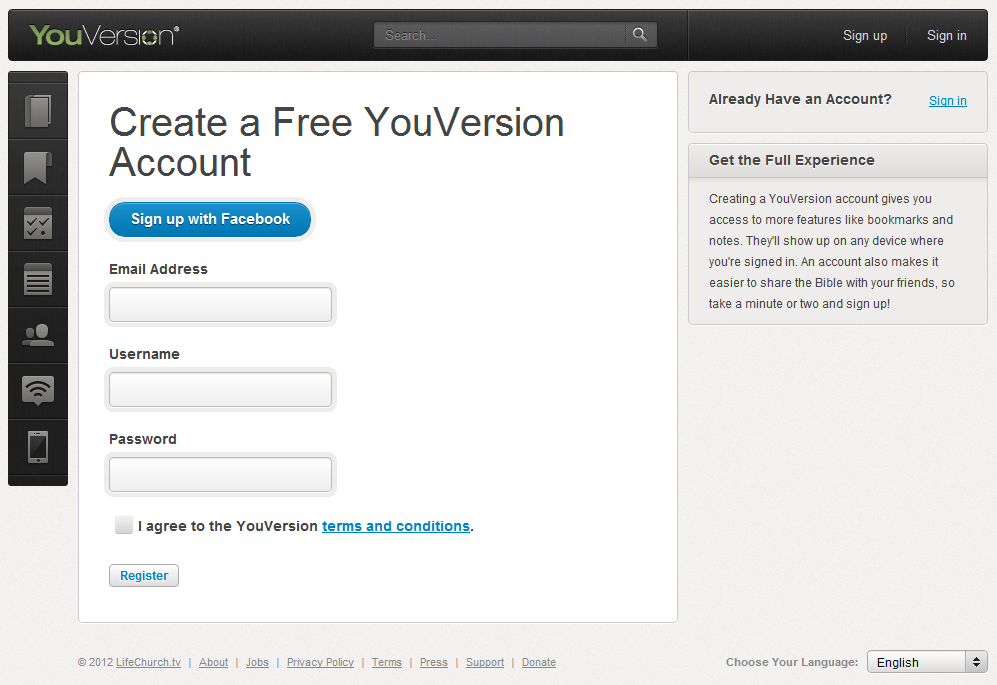
  2. Sign in to your free YouVersion account or, if you don’t have one already, sign up for one.
    Note: If you have an existing Facebook account, you can sign up quickly with the “Sign up with Facebook” button.
    Sign up
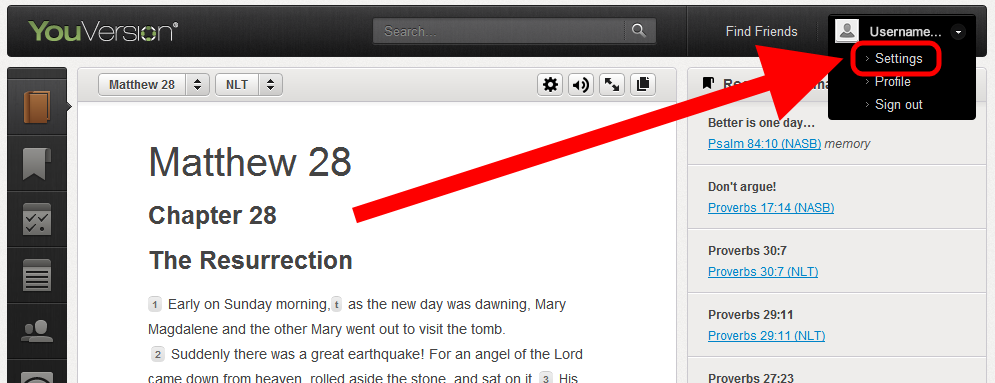
  3. Top Right: Click your Username, then Settings.
    Settings
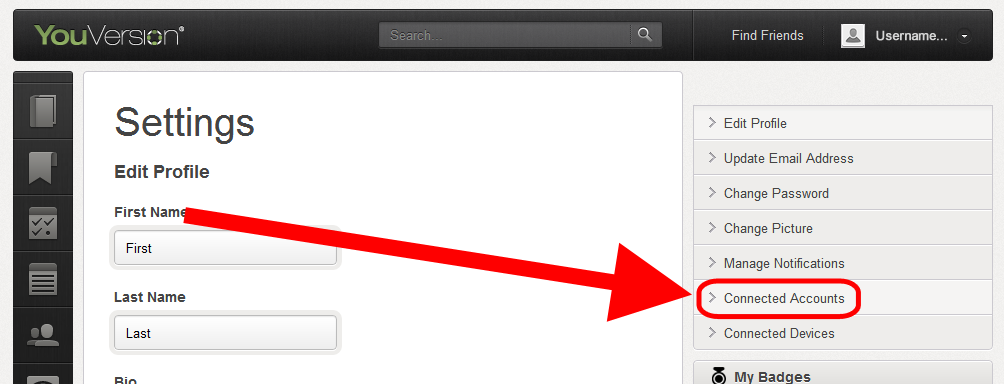
  4. Right: Select the Connected Accounts tab.
    Connected Accounts tab
  5. Twitter:
    • Select the Twitter tab.
    • Click the “Connect to your Twitter account” link.
      Note: If you’re not signed in, Twitter prompts you to sign in with your Twitter username and password.
    • Click [Allow]:
      Twitter Allow button
    • YouVersion connects your account to Twitter. (You can remove this connection at any time.)
  6. Facebook:
    • Select the Facebook tab.
    • Click the “Connect to your Facebook account” link.
      Note: If you’re not signed in, Facebook prompts you to sign in with your Facebook username and password.
    • Click [Allow].
    • YouVersion connects your account to Facebook. (You can remove this connection at any time.)

That’s it! You’re done, and you’re ready to let people know what you’re up to with YouVersion, anytime you feel like it, anywhere you are.

Share this post:

Vote for YouVersion in Mashable Awards

YouVersion, and the Bible, has a great opportunity to gain some mainstream visibility through the 2010 Mashable Awards. Thanks to all of your votes already we’ve made it to the top five finalists in the Best Mobile User Experience category. Now, with only 14 hours left to vote, we want to finish strong with a solid showing of YouVersion’s massive fan base.

So, if you have about 30 seconds today, go to the Mashable Awards page and vote for YouVersion in the category of Best Mobile User Experience. Just choose “Best Mobile User Experience” from the left dropdown menu and “@YouVersion” from the right dropdown menu. It should look like this:

And to all of you that have already voted multiple times over the past several weeks, thank you! We hope that the increased visibility will result in more people finding God’s Word on their phone.

Share this post:

The Bible App Made iTunes’ 2010 Top Ten!

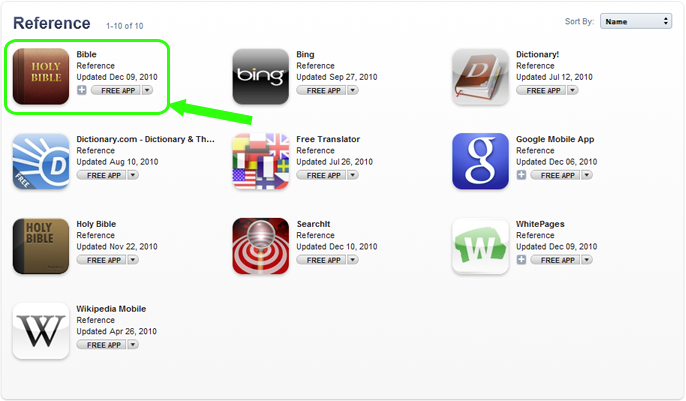
Every year, Apple announces the top 10 apps for the year in each category in the iTunes Store. This year, we’re thrilled to announce that the Bible App from YouVersion made the top 10 in the free Reference category! On both iPhone and iPad!

Apple’s lists don’t indicate rank. The above iPhone apps view shows the winners sorted by name. We’d also like to draw your attention to the Paul Avery Holy Bible app and Logos for iPad. Paul Avery’s Holy Bible made both lists, and Logos made the iPad list—and both are free Bible apps! How awesome is it that God’s Word claimed three of the top spots for free Reference apps in 2010?! (To discover more free Bible resources, check out this page we added to our website to highlight them.)

To see more of the lists, simply go to the iTunes Store and click the iTunes Rewind banner:

Look under the Apps section, and click on the “Check Out the Hot Trends in 2010 Apps” link for either iPhone or iPad, whichever one you’re interested in. Click the “Top Free” link, and then scroll to the Reference section and click “See All.”

Share this post: